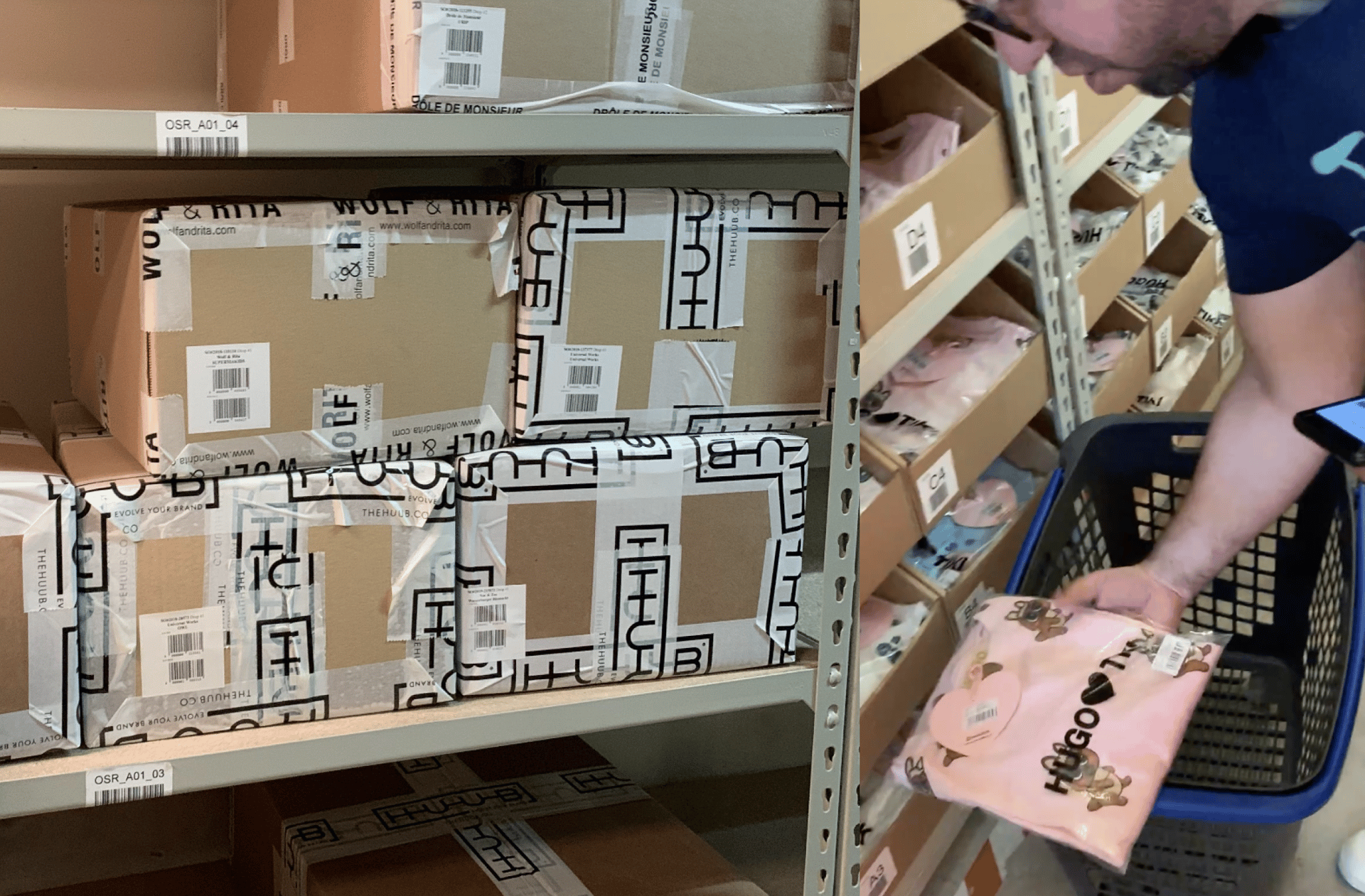
Inventory Management | HUUB
Research & Insight Synthesis
UX Prototyping
UI
Expertise/Skills
Opportunity
HUUB is a Portuguese startup focused on democratizing access to a fully integrated supply chain for independent fashion brands. As the company scaled, some core services became increasingly complex and heavily dependent on manual intervention.
Inventory management emerged as a critical opportunity to reduce operational friction for internal teams while increasing transparency and autonomy for brands through a more scalable, technology-enabled service.
Solution
We developed the inventory management experience within the Spoke platform to transform a manual workflow into a product experience built around real-time visibility, self-service controls, and smart automation. The solution aimed to give brands confidence and autonomy to manage their inventory, while quietly reducing friction and operational burden for internal teams.
Process
I led the end-to-end redesign of the inventory management service using service design and UX methods:
Conducted interviews with stakeholders from Customer Success, Brand Development, Tech, and Brands to map workflows and identify pain points
Mapped the AS-IS inventory process to highlight inefficiencies and manual tasks
Designed the future (TO-BE) process focused on autonomy, real-time visibility, and automation
Created high-fidelity UX wireframes and flows for the inventory management interface within the Spoke platform
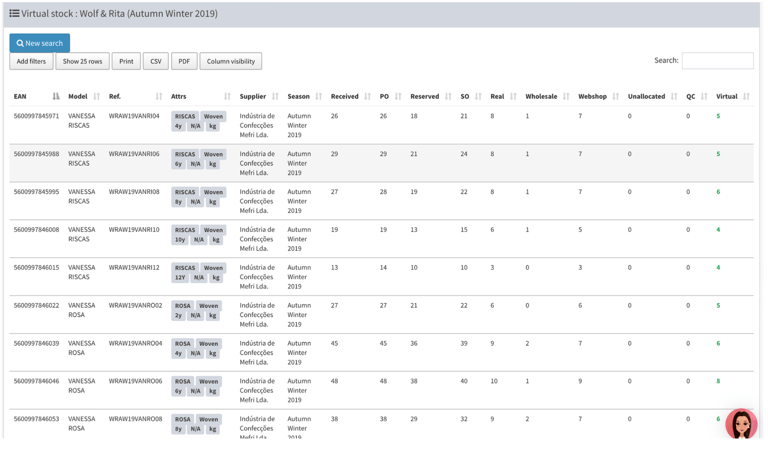
The previous interface required manual control of each product and quantity. The lack of real inventory visibility caused overload, errors, and a lack of autonomy for the brand, affecting the efficiency of the process from the beginning to the end of the season.
Recommendations & UX Artifacts
After mapping the existing inventory management challenges and gathering input from internal teams and brands, we identified targeted improvements to streamline workflows and boost brand autonomy.
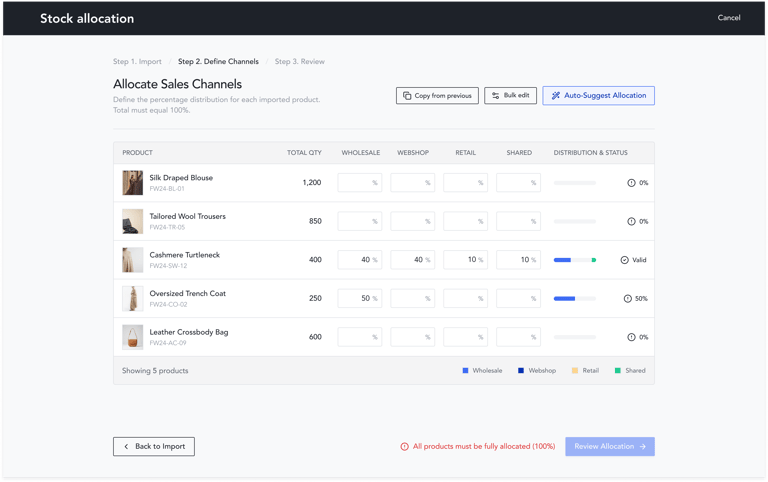
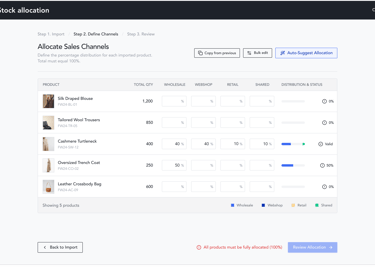
Stock management wizard - Stock distribution
Recommendation 1: Possibility to define how much stock is allocated to each sales channels by purchase order
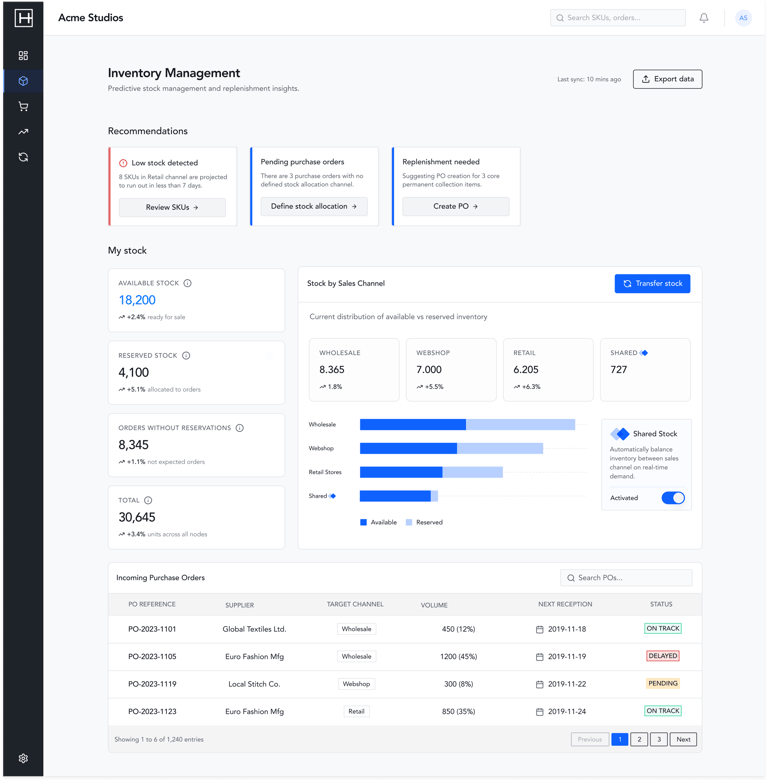
Inventory Management Dashboard
Recommendation 2: Enable transfers between stock allocation channels when there are low/out of stock items
Recommendation 3: Ensure automatic replenishment when there is low stock coverage
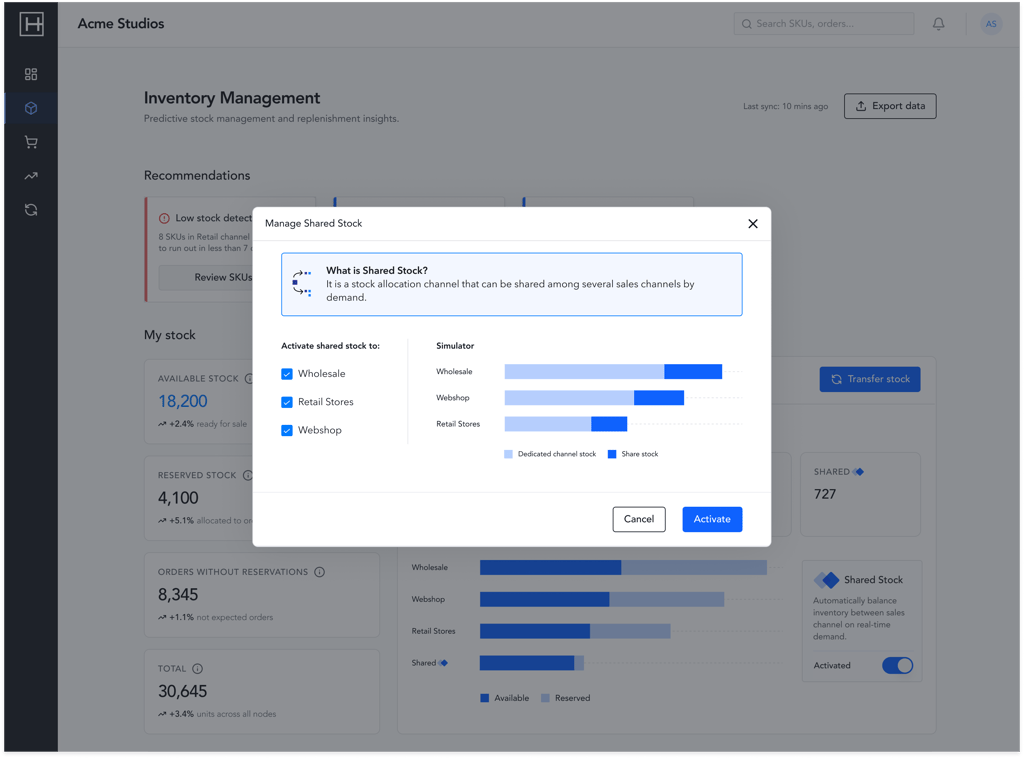
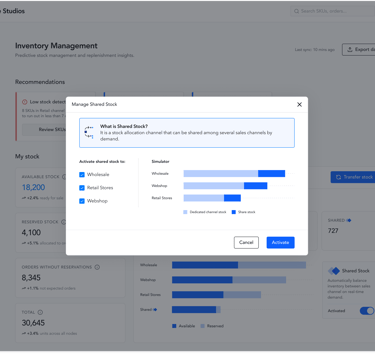
The simulator automatically changes based on the selected Shared Stock option